
Startup Financial Risk Planning: Anticipate and Mitigate for Growth
Anticipate financial risks in your startup with practical strategies to protect cash flow, manage debt, and build sustainable growth.
Small businesses face mounting pressure to streamline their tax processes while staying compliant with ever-changing regulations. The right tax planning software for small business can transform your annual tax burden into a manageable, automated process.
We at Sager CPA have evaluated dozens of solutions to help business owners make informed decisions. The key lies in understanding which features matter most for your specific needs and budget constraints.
Tax planning software selection demands focus on three non-negotiable capabilities that separate professional-grade solutions from basic consumer tools. Automated tax calculations with real-time compliance updates form the foundation of any worthwhile system.
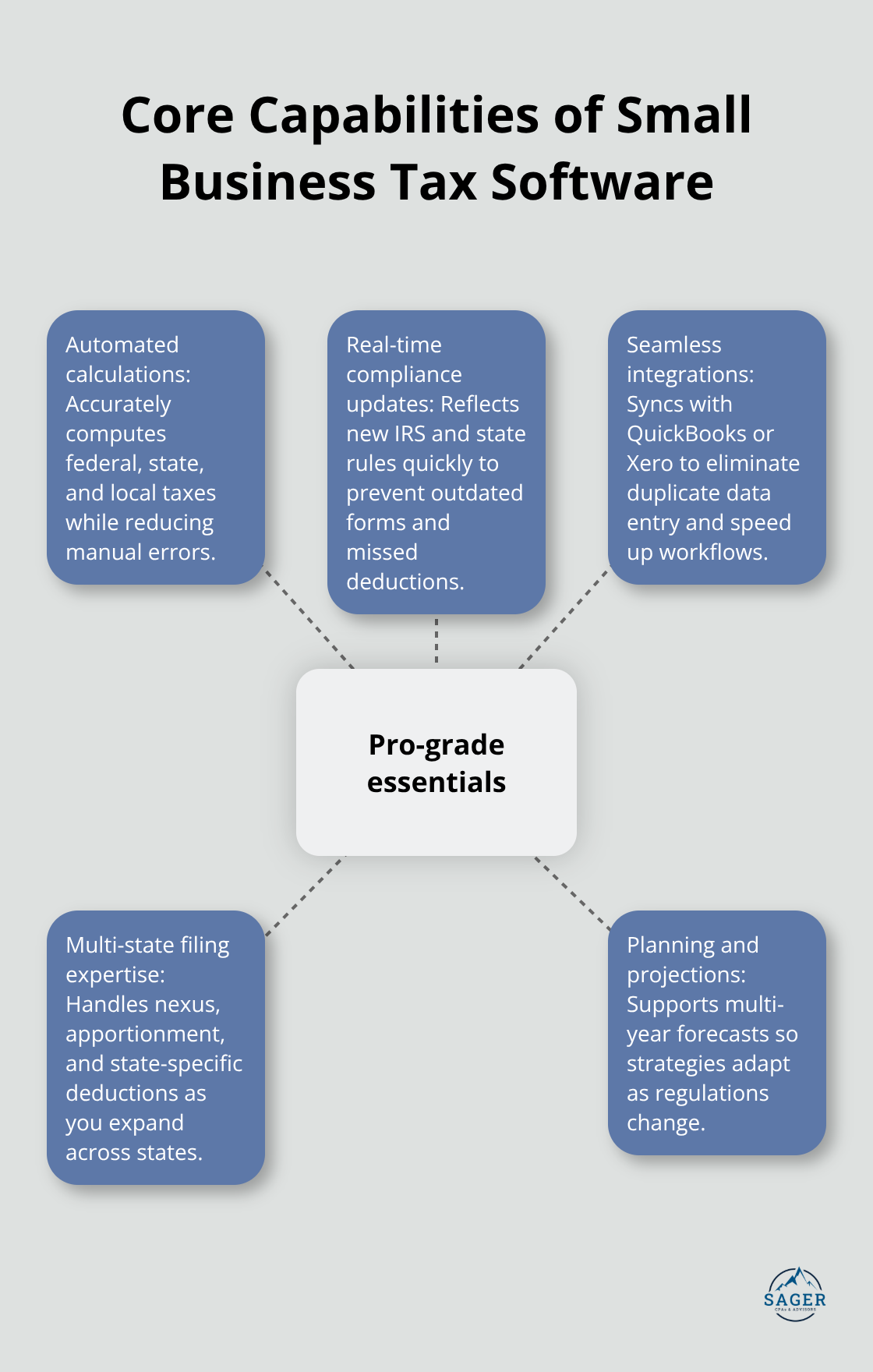
Software like Corvee provides extensive calculations covering various aspects like filing status, limitation and carryforward calculations, while Bloomberg Tax offers multi-year projections that adapt to changing regulations. Without automated compliance updates, you risk filing outdated forms or missing new deductions that could save thousands annually.
Professional tax software must calculate federal, state, and local taxes automatically while maintaining current compliance standards. Corvee’s platform receives regular updates from a team of tax professionals to reflect new laws and IRS guidance. This automation eliminates manual calculation errors that cost small businesses according to IRS penalty data. Software without real-time updates leaves you vulnerable to compliance failures and missed opportunities for tax savings.
Your tax software must integrate flawlessly with QuickBooks, Xero, or your existing accounting platform. TurboTax integrates seamlessly with QuickBooks, which eliminates manual data entry that consumes hours during tax season. Look for solutions that offer optical character recognition technology like Holistiplan, which analyzes tax returns rapidly and identifies planning opportunities automatically. Integration capabilities save time during tax season according to accounting firms that use connected systems. Software that requires manual data transfer wastes time and introduces costly errors.
Multi-state tax filing capabilities become essential as your business expands across state lines. UltraTax CS handles comprehensive multistate filing, while Lacerte excels at multistate business returns and garnered a 4.8 for efiling ease. Software that lacks robust multi-state capabilities forces you to purchase additional solutions or hire specialists, which increases costs significantly. Professional-grade platforms automatically calculate state-specific deductions, nexus requirements, and apportionment rules that vary dramatically between jurisdictions.
These core features establish the foundation for effective tax management, but the choice between cloud-based and desktop solutions presents additional considerations that impact your daily operations.
Cloud-based tax software delivers superior flexibility and accessibility compared to desktop solutions, which makes it the smart choice for most small businesses. Cloud platforms like RightCapital start at $149.95 per month and allow remote access from any device, while desktop software locks you to specific computers and requires manual updates. Desktop solutions become obsolete quickly as tax laws change, which forces expensive annual purchases or upgrade fees.
Cloud software automatically updates compliance features and tax forms, which protects you from costly filing errors. The mobility factor proves decisive for business owners who travel or work from multiple locations, as cloud access eliminates the need to carry laptops with installed software. Desktop solutions require physical presence at specific workstations and manual backup procedures that consume valuable time. Cloud platforms provide automatic data backup and recovery features that protect against hardware failures (a common cause of data loss during tax season).
Pricing models vary dramatically between providers, with some charging per return while others offer unlimited filing packages. TaxSlayer Self-Employed costs $54 annually with expert access, while TurboTax Premium charges $139 for federal filing plus $64 for state returns. FreeTaxUSA offers federal filing free with state returns at $14.99, which makes it attractive for simple business structures. H&R Block Self-Employed charges $85 federal and $37 state, positioning itself in the middle market.
Drake Tax appeals to sole practitioners at $350 annually but requires desktop installation. Cost analysis shows federal and state filing fees account for 70% of software value according to recent surveys. Avoid software with hidden upselling during the filing process, as TurboTax Premium often promotes expensive add-ons that inflate final costs beyond initial quotes.
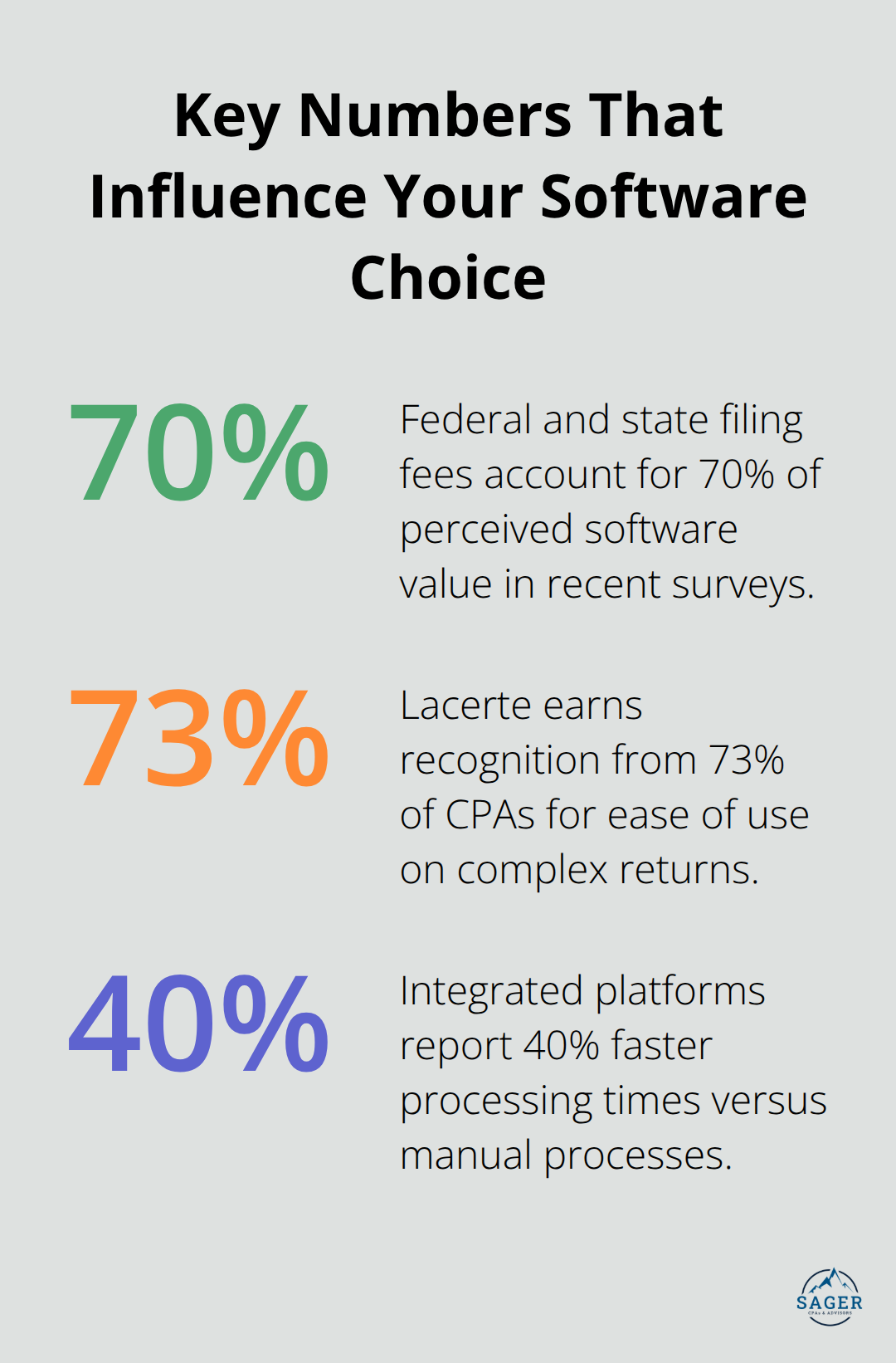
User interface quality directly affects filing accuracy and completion time, which makes intuitive design essential for busy business owners. Lacerte earns recognition from 73% of CPAs for ease of use, particularly for multistate business returns. H&R Block Self-Employed receives praise for straightforward navigation that guides users through complex business deductions without confusion.
TaxAct includes TaxTutor Guidance features that educate users about maximizing deductions and understanding tax law changes. Cash App Taxes provides completely free filing with a clean interface, though it lacks advanced business features. Poor interface design forces users to spend extra hours navigating confusing menus or searching for required forms (ultimately costing more in lost productivity than premium software alternatives).
The software architecture decision sets the foundation for your tax operations, but successful implementation requires careful attention to data migration and staff preparation processes.
Successful tax software implementation starts with a structured data migration plan that prevents costly errors and downtime. Export your existing financial data from accounting platforms like QuickBooks or Xero in CSV format at least two weeks before tax season begins. Test the import process with a small data subset first, as incomplete migrations cause delays that cost businesses significant amounts per day according to accounting firms. Create backup copies of all financial records before you start the migration process, since corrupted transfers can destroy years of historical data.
Schedule your data migration during slow business periods to minimize disruptions if problems arise. Most professional tax software accepts standard formats like QBO files from QuickBooks or Excel spreadsheets with specific column headers. Accounting software platforms offer automated data import features that reduce manual entry time compared to manual data entry. Verify all imported amounts match your original records exactly, as small discrepancies multiply into significant errors during tax calculations. Clean up duplicate entries and inconsistent vendor names before you import, since messy data creates confusion during deduction categorization.
Train your team on the new software at least 30 days before the first deadline to avoid rushed mistakes. Focus sessions on the specific features your business uses most frequently rather than comprehensive overviews that waste time. TaxAct’s TaxTutor Guidance feature helps new users learn deduction optimization, while H&R Block offers unlimited chat support that reduces training time requirements. Schedule practice sessions where staff complete mock returns with real business scenarios (hands-on experience prevents costly errors during actual filing). Document common procedures in step-by-step guides that staff can reference quickly during busy periods.
Enable two-factor authentication immediately after software installation, as data breaches cost businesses significant amounts according to IBM Security studies. Choose software providers that offer bank-level encryption and automatic security updates, since outdated security patches create vulnerabilities that hackers exploit. Restrict user access to essential functions only – bookkeepers need different permissions than business owners who review final returns. Set up automatic data backups that run daily during tax season and weekly during off-peak months (hardware failures during April deadlines can destroy months of preparation work).
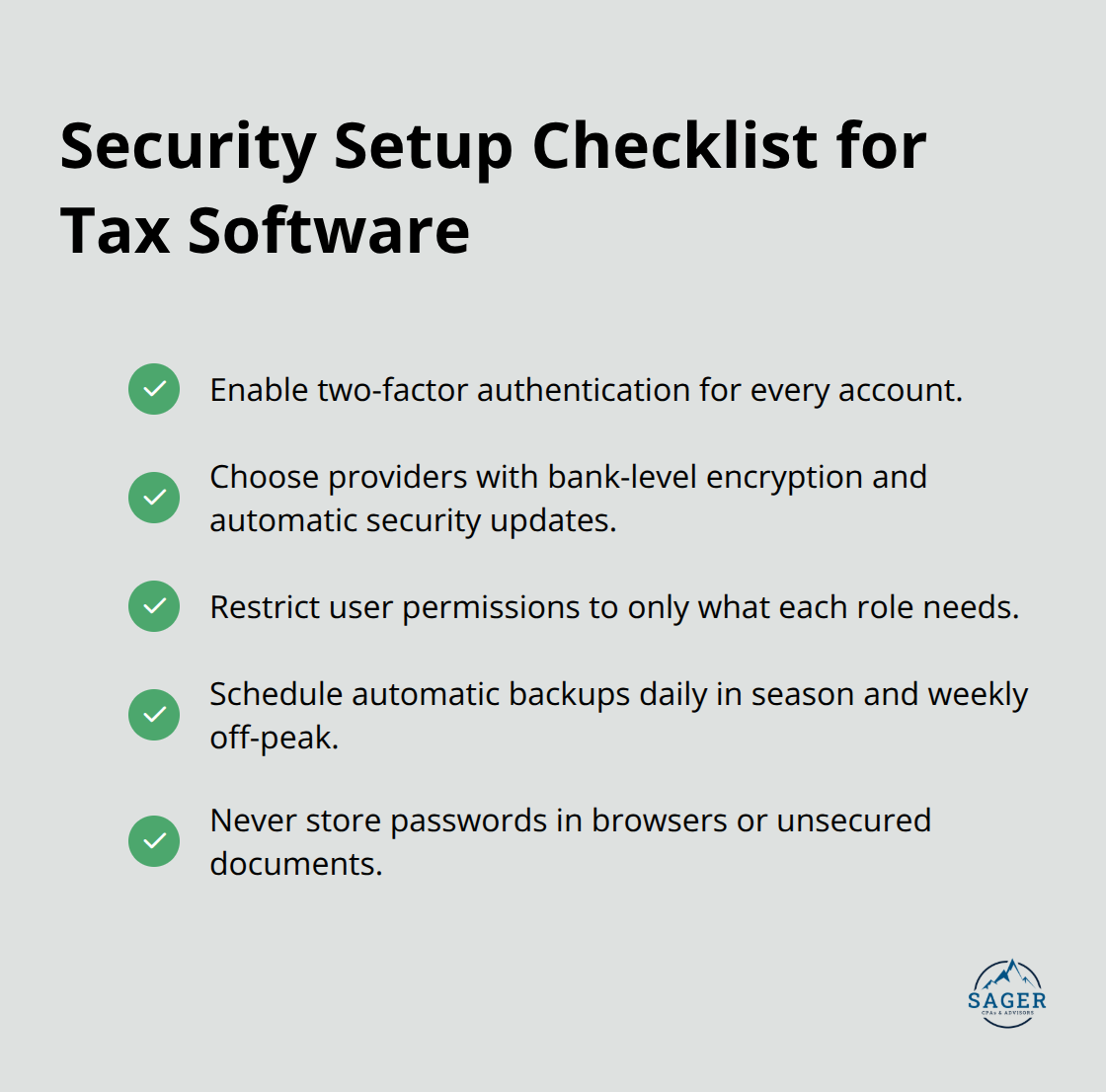
Never store tax software passwords in browsers or unsecured documents, since compromised credentials give attackers access to sensitive financial information. Proper implementation connects directly to your broader corporate tax planning strategies that maximize efficiency and compliance.
Your choice of tax planning software for small business must balance automated compliance features, seamless accounting integration, and multi-state capabilities against budget constraints. Cloud-based solutions provide superior flexibility and automatic updates compared to desktop alternatives that become outdated quickly. Professional software delivers measurable returns through reduced preparation time, fewer compliance errors, and automated deduction identification that saves thousands annually.
Businesses that use integrated platforms report 40% faster processing times and significantly lower error rates compared to manual processes. Implementation success requires structured data migration, comprehensive staff training, and robust security measures that protect sensitive financial information. The investment in quality software pays dividends through improved accuracy, time savings, and reduced audit risks (particularly during peak season).
We at Sager CPA recommend that you evaluate your specific business complexity, growth plans, and integration needs before you make your selection. Start by testing demo versions of your top three candidates with actual business data to identify the best fit for your operations. Quality software transforms your annual tax burden into a manageable, automated process that supports business growth.




Phone: (208) 939-6029
Email: info@sager.cpa
Privacy Policy | Terms and Conditions | Powered by Cajabra
At Sager CPAs & Advisors, we understand that you want a partner and an advocate who will provide you with proactive solutions and ideas.
The problem is you may feel uncertain, overwhelmed, or disorganized about the future of your business or wealth accumulation.
We believe that even the most successful business owners can benefit from professional financial advice and guidance, and everyone deserves to understand their financial situation.
Understanding finances and running a successful business takes time, education, and sometimes the help of professionals. It’s okay not to know everything from the start.
This is why we are passionate about taking time with our clients year round to listen, work through solutions, and provide proactive guidance so that you feel heard, valued, and understood by a team of experts who are invested in your success.
Here’s how we do it:
Schedule a consultation today. And, in the meantime, download our free guide, “5 Conversations You Should Be Having With Your CPA” to understand how tax planning and business strategy both save and make you money.